> ## Documentation Index
> Fetch the complete documentation index at: https://docs-dev.nxtcore.app/llms.txt
> Use this file to discover all available pages before exploring further.

# Avatar Dekorationen

> Beschreibung aller Funktionen der Avatar Dekoration

In diesem Menü können Avatardekorationen angelegt werden.

<Warning>
  Diese Funktion ist Standardmäßig nicht für jede Instanz freigeschaltet und wird nur auf Anfrage entwickelt & freigeschaltet
</Warning>

<Tabs>
  <Tab title="Übersicht" icon="image">
    <Frame>
      <img src="https://mintcdn.com/nxtcore/byE7mBeLWmbmQK91/images/avatar-decoration-overview.png?fit=max&auto=format&n=byE7mBeLWmbmQK91&q=85&s=7c8641d98d673c735a2a63fe5e31bf79" alt="Image 1" title="Avatar Decoration" style={{ width:"100%" }} width="1709" height="859" data-path="images/avatar-decoration-overview.png" />
    </Frame>

    <Card title="Übersicht" icon="image" horizontal>
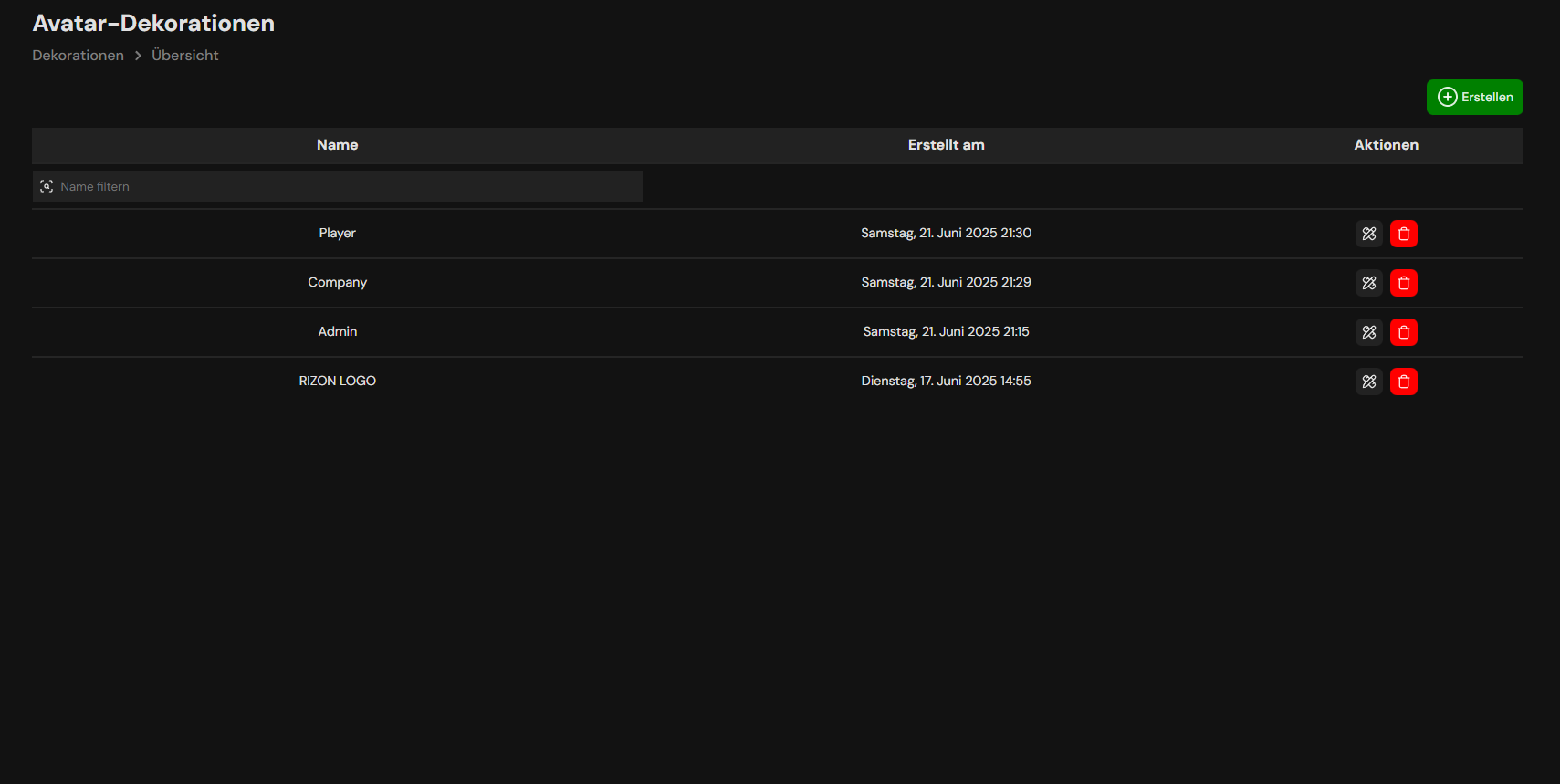
      Hier findest du Jumper zum Bearbeiten, Hinzufügen, Löschen und Suchen von Avatar Dekorationen
    </Card>

    <Card title="Bearbeiten" icon="pencil-ruler" horizontal>
      Über diesen Button gelangst du zur Bearbeitungsansicht
    </Card>

    <Card title="Löschen" icon="trash" color="#ff0000" horizontal>
      Über diesen Button kannst du die ausgewählte Dekoration löschen.
    </Card>

    <Card title="Erstellen" icon="circle-plus" color="#008000" horizontal>
      Über diesen Button kannst du eine neue Dekoration Erstellen
    </Card>
  </Tab>

  <Tab title="Erstellen" icon="circle-plus">
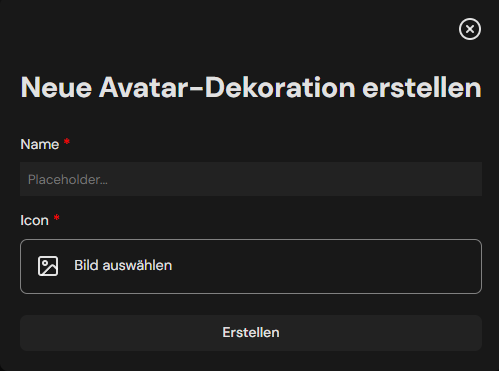
    <Frame caption="Gebe hier sowohl einen Namen + entsprechendes Icon an">
      <img src="https://mintcdn.com/nxtcore/byE7mBeLWmbmQK91/images/avatar-decoration-create.png?fit=max&auto=format&n=byE7mBeLWmbmQK91&q=85&s=347fa82116cd880ab2148eea45ee91fd" alt="Avatar Decoration Create" style={{ width:"100%" }} width="499" height="371" data-path="images/avatar-decoration-create.png" />
    </Frame>
  </Tab>

  <Tab title="Bearbeiten" icon="pencil-ruler">
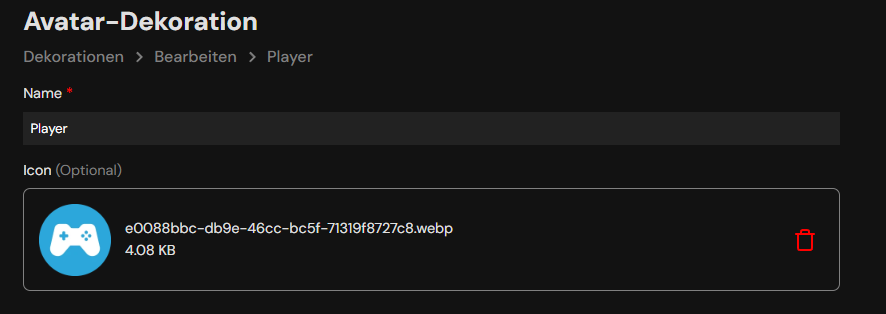
    <Frame caption="Hier kann der Namen + entsprechendes Icon angepasst und ggf, neu hochgeladen werden. Speichern nicht vergessen!.">
      <img src="https://mintcdn.com/nxtcore/byE7mBeLWmbmQK91/images/avatar-decoration-edit.png?fit=max&auto=format&n=byE7mBeLWmbmQK91&q=85&s=5838affe0662f02cbbf43c325c0ffc0e" alt="Image" width="886" height="314" data-path="images/avatar-decoration-edit.png" />
    </Frame>
  </Tab>

  <Tab title="Beispiel">
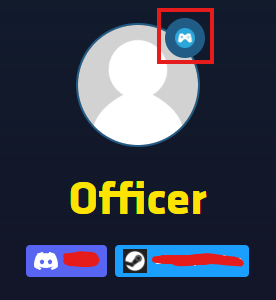
    <Frame caption="Bildausschnitt der Werksliga">
      <img src="https://mintcdn.com/nxtcore/byE7mBeLWmbmQK91/images/avatar-decoration-example.png?fit=max&auto=format&n=byE7mBeLWmbmQK91&q=85&s=f8d2ace55c9adfdd4b428a0f76bbf1ea" alt="Image" width="276" height="300" data-path="images/avatar-decoration-example.png" />
    </Frame>
  </Tab>
</Tabs>